
Case Studies
Case 1: Uma Gupta
Uma Gupta, a KAM with ML Global Logistics, is one of the top performers in her company. An ambitious professional, she is constantly looking to improve her productivity and orchestrate greater career success while taking adequate care of herself and her personal relationships.
She is meticulous with her plans and uses the following colour codes to demarcate various activity types in her calendar app (Google Calendar, in her case).
Notably, her calendar app is installed on her mobile phone. “A physical diary or laptop aren’t always handy, but my phone almost always is. Reminders and prompts are harder to ignore then,” she says.
Early into her stint with ML Logistics, Uma had decided to identify the one KPI that would lead her to be viewed as an absolute star by her senior management team. She concluded that this would be increasing the wallet share per customer by a significant amount. Based on a few conversations with her VP, she had learned that:
- A 40% increase in the billing per customer would be viewed as a success
- A 100% increase would be considered a stupendous success
This, in addition to a high C-Sat score (an NPS of 8 or above).
She realised that a high NPS required ensuring that all client deliverables are met before time, with 100% adherence to quality and query resolution within 2 hours. She realises, though, that coordinating with the customer, her team, and suppliers can quickly end up taking up all of one’s time. And there was no escaping this reality, and it simply must be done.
However, if she must be seen as a star, she realised that the wallet-share increase goal must be prioritised first, no matter how busy she was.
Step 1:
|
|
 Dec 30, 2021
 6:05 pm
It’d been an absolutely jam-packed day for her. She ensured that all client deliveries were met before time. One of her clients had called to appreciate her for that.
As she is about to close for the day, she remembers that it is almost New Year’s eve and that she won’t be at work from tomorrow till January 3rd. She decides to plan for the next 30 days, as is her practice.
Step 2:
|
|
She first decides to factor in her 1% tasks in her plans.
In her case, she remembers that this would mean proactively seeking meetings with her customers to identify potential opportunities for up-sell or cross-sell so as to increase the share of the customer’s wallet for her organisation.
She picks ABC ltd, the biggest customer from her portfolio, because she remembers receiving automated news alerts from LinkedIn and Google News about ABC Ltd.’s massive upcoming greenfield expansion projects a few days back.
She realises that this affords her the maximum potential for revenue increase.
Step 3:
|
|
She looks at her calendar and finds Monday, January 3rd, the first day after she will re-commence since her New Year holidays. It’s a busy day like all her days are. However, she finds that she has a one-hour slot on Monday to be relatively free.
Uma’s experiences have made her realise that Monday mornings are just a little bit on the slower side for her. Her customers usually start calling after 12pm, though a few call first thing on Monday.
She decides to set aside time to perform the tasks related to her goal to be a star KAM in this relatively free time.
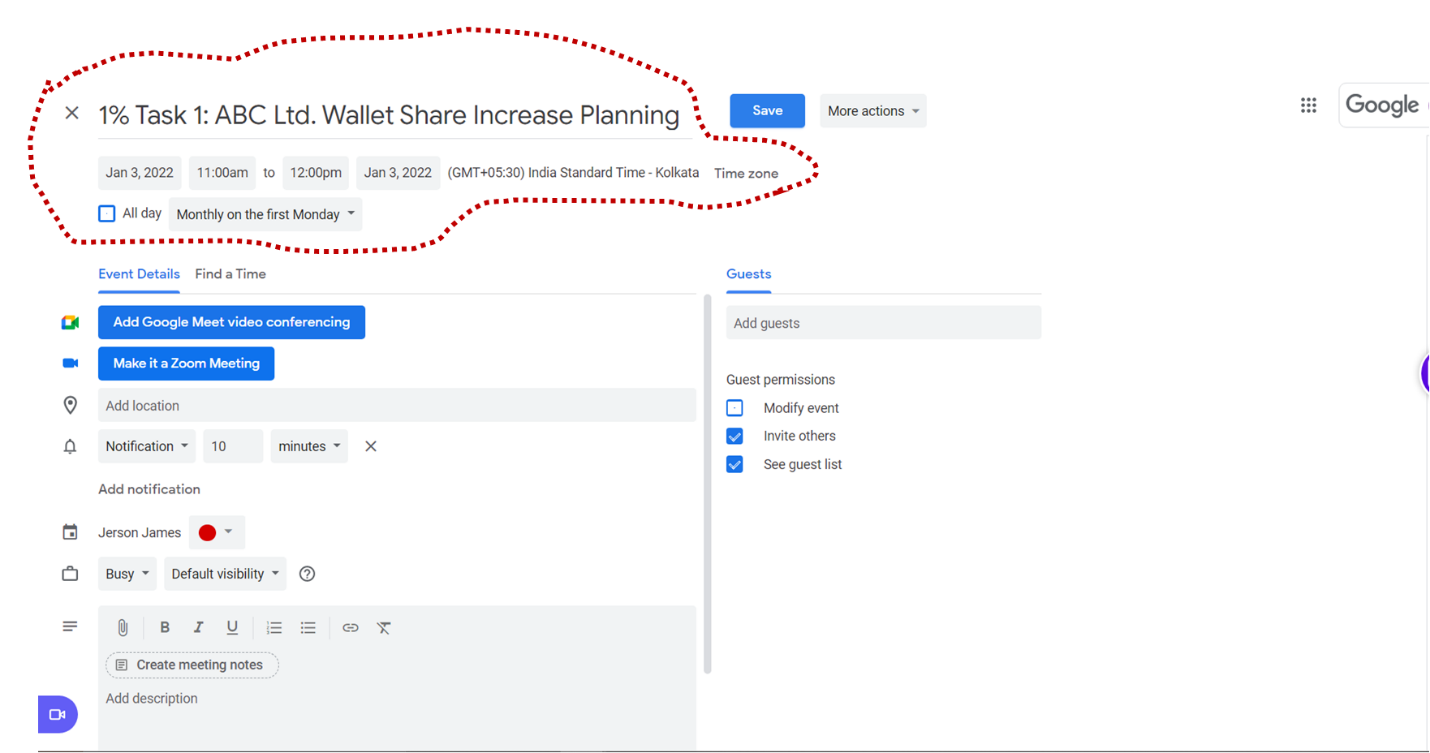
Figure 1: Uma Adds her 1% Tasks to her Already Busy Schedule
Step 4:
|
|
Okay, so she has added the time for planning in her schedule. However, she knows that planning must lead to action, or it would amount to nothing. She calls Mr Sanjay Bose, her customer, to schedule a meeting to discuss cross-sell and upsell opportunities.
She manages to fix a call on Friday, January 14th. The calendar invite reads “How ML Can Help You Meet Your KPIs Better.”
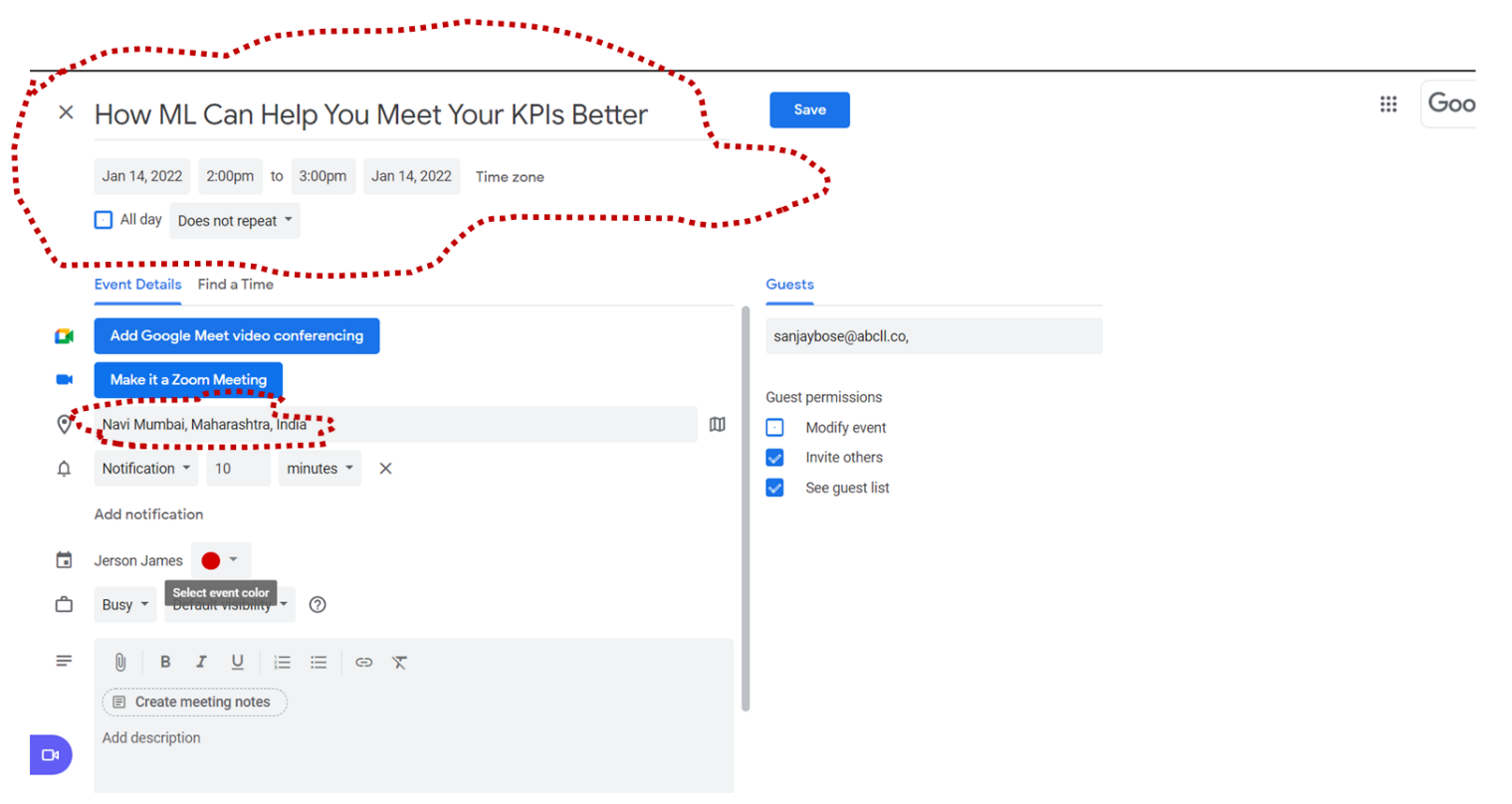
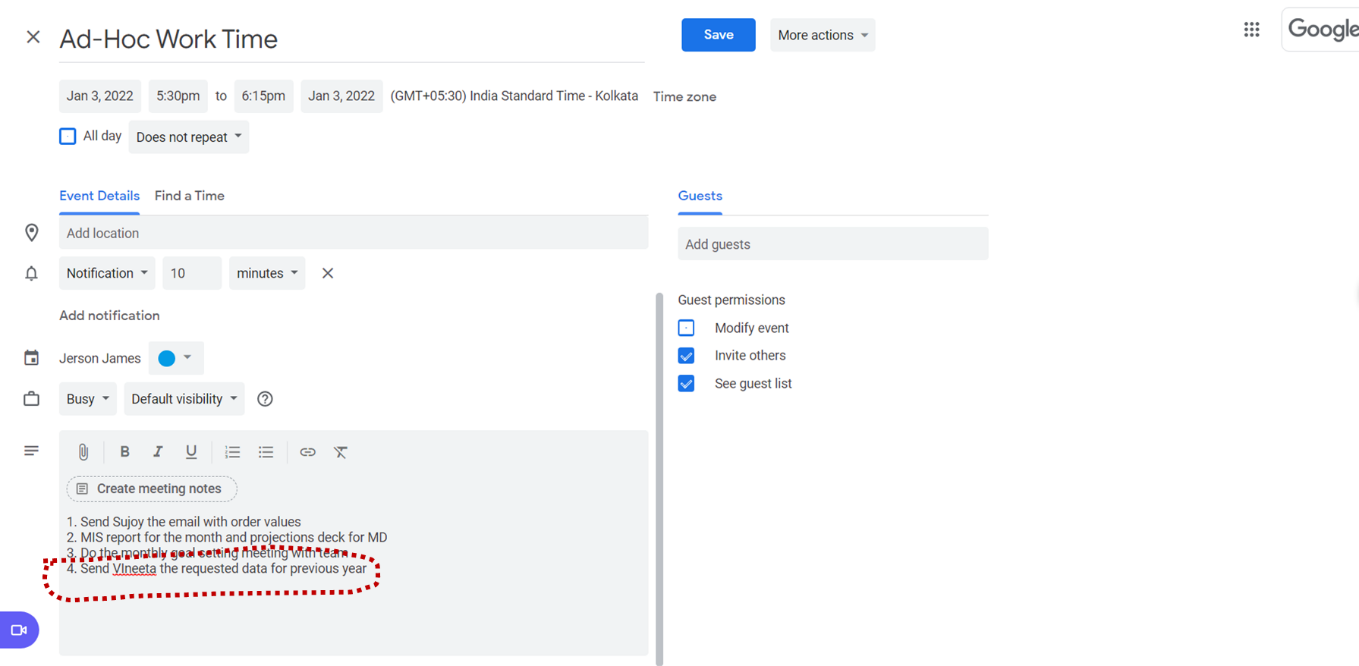
Uma’s phone buzzed. It’s time for her daily team meeting to plan for the next day.
They catch up to discuss the deliverables, deadlines and tasks for the next day, including demarcating their MITs and ad-hoc tasks.
She turns to Siddesh, her team member. “Siddesh, what are your MITs for tomorrow? And what time of the day are you going to schedule these?”
“Two tasks for tomorrow. One, sorting out the issue with the Sourcing Team and the Jai Gurudev Copiers to ensure that EngineersGlobal’s orders are on time and, two, obtaining quotes for ClassiqueMetals’ new RFQ”, Siddesh replied. “And, I’ll do the first in the afternoon, when I know that Arun, Jai Gurudev’s Director is normally freer, and the RFQ activity first thing in the morning, when I am freshest.”
“Glad you are on top of things and thinking correctly about task scheduling”, Uma replied with a smile.
She repeated the discussion with all her team members.
Case 2: Niranjan Chatterjee
Case Study Discussion Questions
1. What did Uma identify are the goal(s) that she would most focus upon?
a. Why did she choose these goals?
b. Is there a difference you see in Niranjan’s approach to goals as compared to Uma’s?
2. The case study presents at least ten task and time (self)-management best practices that Uma has adopted to help her increase her productivity. Can you identify these?
3. How do these differ from Niranjan’s task and time (self) management practices?
4. What would be the relative difference in outcomes between both sets of KAMs?